Online memorials
How to create an online memorial your family can use
A practical guide to choosing memories, preparing a life story, checking privacy and sharing an online memorial with family.
Published: · Updated:
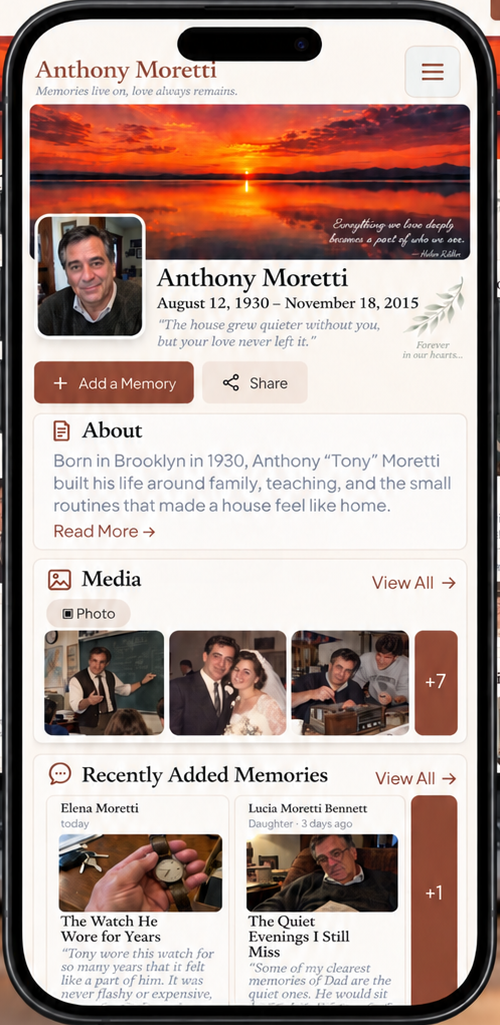
Start with a portrait, a short story and a few moments that feel like them. A memorial does not need to be complete before it is meaningful, and it does not need to be public.
Choose a small collection with context
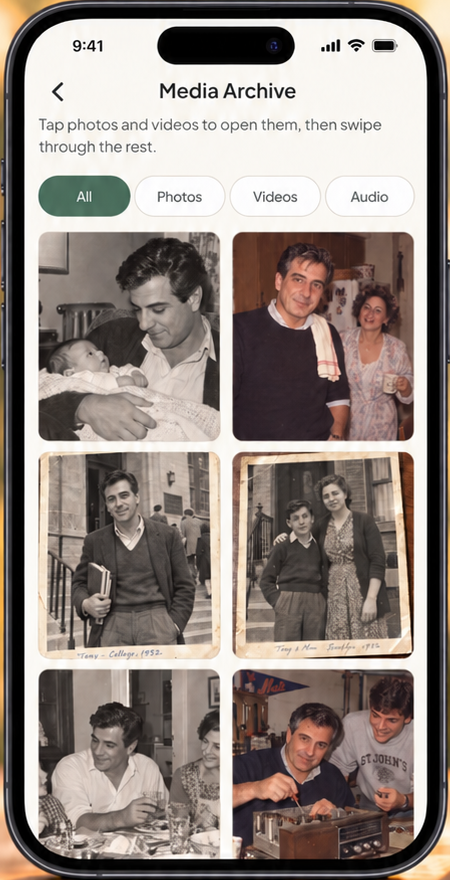
Select a portrait, a few photographs and dates you can verify. A short voice recording or video may add context, but it should be something you have permission to share. Do not publish private medical records or home addresses.
Write who is in a photo and what you know about its occasion. Mark uncertainty rather than filling a date with a guess. A sentence about an ordinary habit can say more than a list of achievements.
Prepare the page in the app
Add the life story and important moments, then preview the visitor view. In Hatırasına, creating and managing the page takes place in the mobile app and requires valid creator access; browsing a shared memorial does not.
Check that media has finished uploading before changing devices. A local draft is not the same as a completed cloud migration, and the app should not be the only copy of your family files.
Prepare
Choose the portrait, known dates and first memories.
Review
Check the life story and visitor preview.
Share
Choose visibility, publish and share the permanent address.
Choose privacy before inviting people
Public pages may be found in search. Link-only pages are marked noindex, but a person with the address can forward it. A password-protected page adds a server-enforced access check. Choose according to the people represented in the collection.
Guests can contribute without creating an owner account. Their contributions are not visible to other visitors until the owner approves them. Receiving a story and publishing it are separate decisions.
Plan who will care for the collection
Agree who wants to administer the page and review new contributions. Do not pressure a relative to publish before they want to. A printed album or a smaller private collection may be a better fit for some families.
Read billing and retention terms before paying. Deleting a Hatırasına account does not cancel an Apple or Google subscription automatically; use the store’s management tools as well. New registration after completed deletion starts a new account, not a recovery of the old memories.
Sources and editorial method
Hatırasına prepared this article. Our product details follow our documented app flow; supplier information was checked against the official pages below. This is not an independent laboratory test or legal advice. Prices and terms can change: check the source before deciding.
- Hatırasına terms · Checked
- Hatırasına privacy policy · Checked